From descript.com
#3 in Edit clips
Descript
by Descript
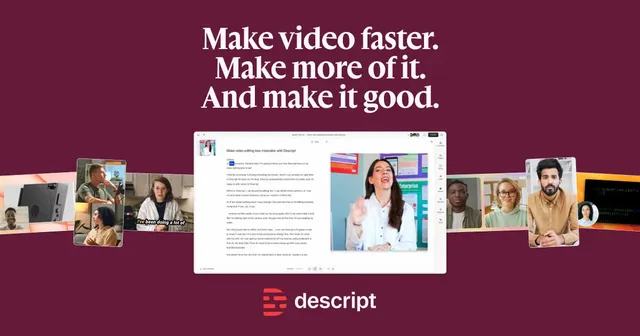
Edit your video by editing the transcript, like a doc. The fastest way to clean up podcasts and talking-head videos.
- Access: From Descript at descript.com, right after you sign up
- Returns: Handled by Descript. Check descript.com for the current policy.
@ai verdict
What’s good
- Delete words from the transcript to cut the video
- Studio Sound, filler-word removal and AI voice clones
- Underlord, an AI co-editor
Heads-up
- Monthly billing costs 50% more than yearly
- AI features share a monthly credit cap
- Free exports are 720p with a watermark
- Ranked #3 by @aiEdit clipsEdit by text
Specs
- Best for
- Podcasters and YouTubers who edit talking videos
- Skill level
- Any level
- Made by
- Descript
- Website
- descript.com
- Price checked
- Sep 30, 2026
- Free plan
- 60 media min/mo, 100 one-time AI credits, 720p exports with watermark
- Entry plan
- Hobbyist $24/mo ($16/mo billed yearly)
- What you get
- Hobbyist: 10 media hours and 400 AI credits per month
- Cost per result
- ≈ $2.40 per media hour processed (Hobbyist: $24 for 10 hours/mo)
- Watermark
- Free plan only
- Commercial use
- You own your inputs and AI outputs (Terms)
- Output
- Exports at 720p (Free), 1080p (Hobbyist), 4K (Creator and up)
- Works with
- Timeline export to Premiere, Final Cut Pro, Pro Tools, Audition; API + MCP
- Platforms
- Mac, Windows
- Your data
- May train on your inputs/outputs unless opted out; opt-out controls on Enterprise
- Billing
- Monthly or yearly; yearly saves up to 35%
What’s included
- Free plan
- 60 media minutes a month; 720p exports with a watermark
- Entry plan
- Hobbyist $24/mo ($16/mo billed yearly)
- What you get
- Hobbyist: 10 media hours and 400 AI credits per month
Shipping & returns
- Access
- From Descript at descript.com, right after you sign up
- Returns
- Handled by Descript. Check descript.com for the current policy.
FAQ
How much does Descript cost?
From $24/mo (Hobbyist plan, billed monthly ($16/mo billed yearly)). Checked on the maker's own page on Sep 30, 2026.
Is there a free plan?
Yes: 60 media minutes a month; 720p exports with a watermark
What does it work with?
Mac, Windows
Who do I buy from?
Descript, on descript.com. They take the payment, give you access and handle support and refunds. atai.market may earn a commission; it never changes a ranking.
Compare with similar
| Rank in Edit clips | #1 | #2 | #3 | #4 |
|---|---|---|---|---|
| Price | From $9.99/moMonthly or yearly; price varies by region, device and promotions | From $15/moStarter monthly only; Pro monthly or yearly (yearly saves 50%) | From $24/moMonthly or yearly; yearly saves up to 35% | From $24.99/moMonthly or yearly; cancel anytime |
| Free plan | Free editor on web, desktop and mobile; premium tools need a paid plan | 60 credits/mo, up to 1080p, watermark, no editing; exports expire in 3 days | 60 media min/mo, 100 one-time AI credits, 720p exports with watermark | 60-200 lifetime credits; basic editing and captions, exports without watermark |
| Entry plan | Not published | Starter $15/mo (monthly only) | Hobbyist $24/mo ($16/mo billed yearly) | Basic $9.99/mo; AI actors and twins need Max $24.99/mo |
| What you get | Pro: 1,200 AI credits/mo and 1 TB cloud; Standard perks are mobile-only | Starter: 150 credits/mo (1 credit = 1 min of source video) | Hobbyist: 10 media hours and 400 AI credits per month | Basic: 200 credits/mo; Max: 500 credits/mo; rollover capped at 3x |
| Cost per result | Not published | ≈ $0.10 per minute of source video clipped (Starter: 150 credits/$15) | ≈ $2.40 per media hour processed (Hobbyist: $24 for 10 hours/mo) | ≈ $0.80 per 6 s of prompt-to-video (Max: 500 credits/$24.99, 16 per 6 s) |
| Watermark | Exports usually clean; delete template outro clips that carry CapCut branding | Free plan only | Free plan only | Only if you export features above your plan (e.g. Max features on Basic) |
| Commercial use | You keep rights to your content; library assets per CapCut Materials License | Paid plans licensed for commercial use; Free is personal use only | You own your inputs and AI outputs (Terms) | You own your inputs and outputs (Mirage terms) |
| Output | Not published | Clips up to 1080p; 4K export on Pro when the source video is 4K | Exports at 720p (Free), 1080p (Hobbyist), 4K (Creator and up) | Choose export resolution, frame rate, bitrate and HDR; SRT caption download |
| Works with | Not published | Auto-post to YouTube, TikTok, Instagram; Premiere/DaVinci export (Pro) | Timeline export to Premiere, Final Cut Pro, Pro Tools, Audition; API + MCP | Not published |
| Platforms | Web, iOS, Android, Mac, Windows | Web | Mac, Windows | iOS, Android, Web |
| Your data | Terms give CapCut a perpetual, worldwide license to content you submit | Not published | May train on your inputs/outputs unless opted out; opt-out controls on Enterprise | Content licensed to improve services; training-data exclusion only on Enterprise |
| Best for | TikTok and Reels creators who want a fast, free editor | Turning podcasts, streams and webinars into short clips | Podcasters and YouTubers who edit talking videos | Solo creators filming talking videos on their phone |
| Skill level | Beginner-friendly | Beginner-friendly | Any level | Beginner-friendly |
| Get it on capcut. | Get it on opus. | Get it on descript. | Get it on captions. |
We may earn a commission if you buy through this link.
Customer reviews
No reviews yet.
Share what worked and what didn’t. Reviews from buyers get a Verified Purchase badge.
Write a reviewRelated products
All Edit clips#1 @ai PickCapCutByteDanceFrom $9.99/mo
OpusClipOpusClipFrom $15/mo
CaptionsMirageFrom $24.99/mo
SubmagicSubmagicFrom $19/mo
Do you make Descript? Claim this listing or sell it here.